1
Copy the video link
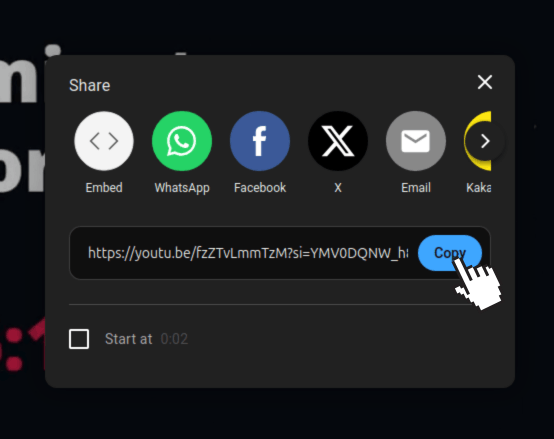
Open any social media app or website and copy the link of the video you want to download. This link is required to start the process.
Make sure the full video link is copied correctly before moving to the next step.
Download videos from all major platforms
Open any social media app or website and copy the link of the video you want to download. This link is required to start the process.
Make sure the full video link is copied correctly before moving to the next step.
Paste the copied video link into the search box using the paste button. You can also paste it by right-clicking and selecting paste, or by using Ctrl + V on your keyboard.
Note: If you are on a mobile device and the paste button is not working, please allow paste or clipboard permissions for our website in your browser settings.
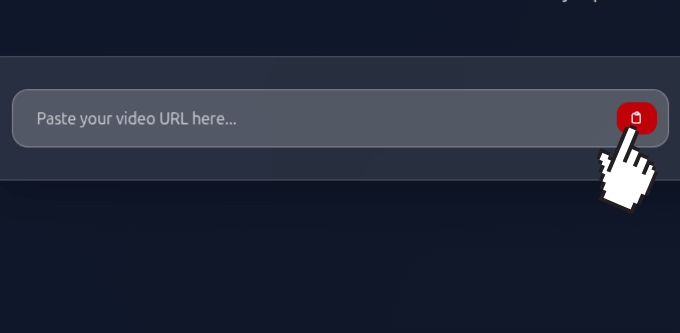
After pasting the link, choose the video quality you want to download. Click on Fetch Info to process the video and get it ready.
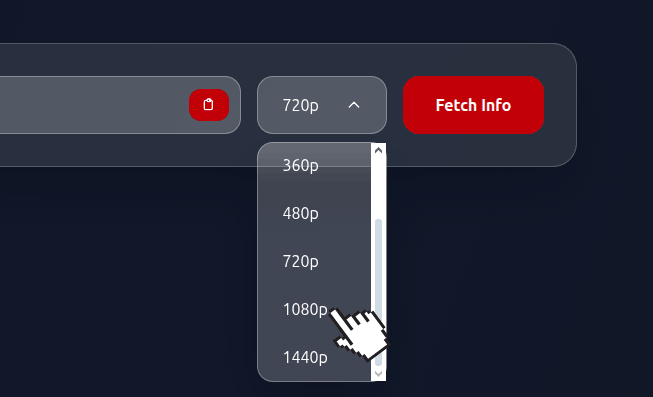
Please wait a few seconds after clicking Fetch Info. When the Save to Device button appears, click it to start downloading the video to your device.

Download videos in seconds with our optimized servers and CDN network
Support for 4K, 1080p, 720p and all popular formats with crystal clear output
Start downloading immediately, no account required or personal data collected
Go to any supported platform (YouTube, TikTok, Instagram, etc.) and copy the video URL from your browser's address bar or share button.
Paste the URL into our search box and choose your preferred video quality from 240p to 4K. Higher quality means larger file size.
Our servers will analyze the video and extract all available download options including different formats and quality levels.
Click the download button and your video will be processed and downloaded to your device within seconds.